MyQRLWallet Mobile: The Post-Quantum Wallet in Your Pocket
The MyQRLWallet mobile app wraps the same wallet core as the web, desktop, and extension in a native shell: biometric device login, PIN-gated signing, screenshot prevention, a native QR scanner, and one-tap dApp pairing over qrlconnect:// deep links.
The MyQRLWallet family now spans four surfaces: the web wallet, the desktop app, the browser extension, and the mobile app this post is about. The Android app is live on Google Play today at v1.2.2; the iOS build is complete and in beta ahead of its App Store release (the screenshots below are from it).
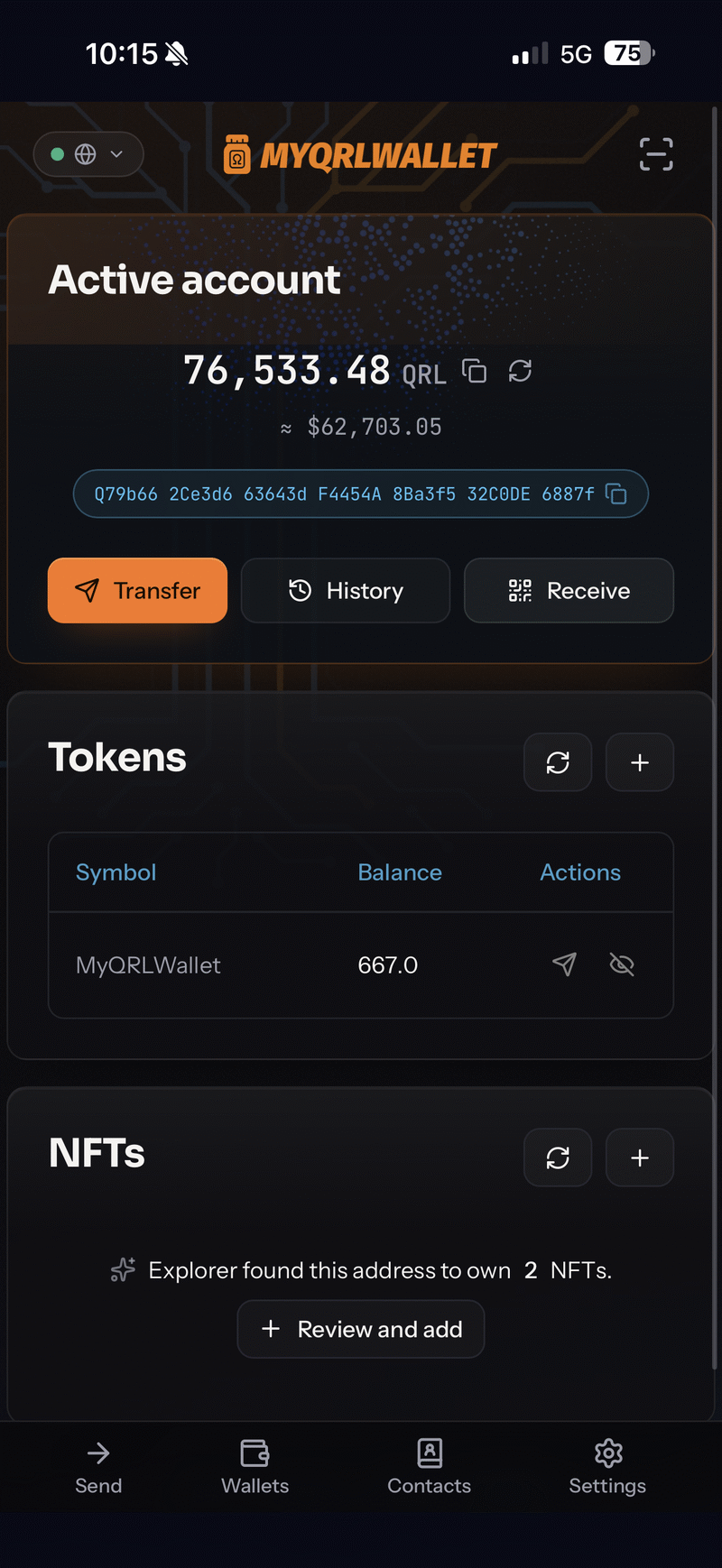
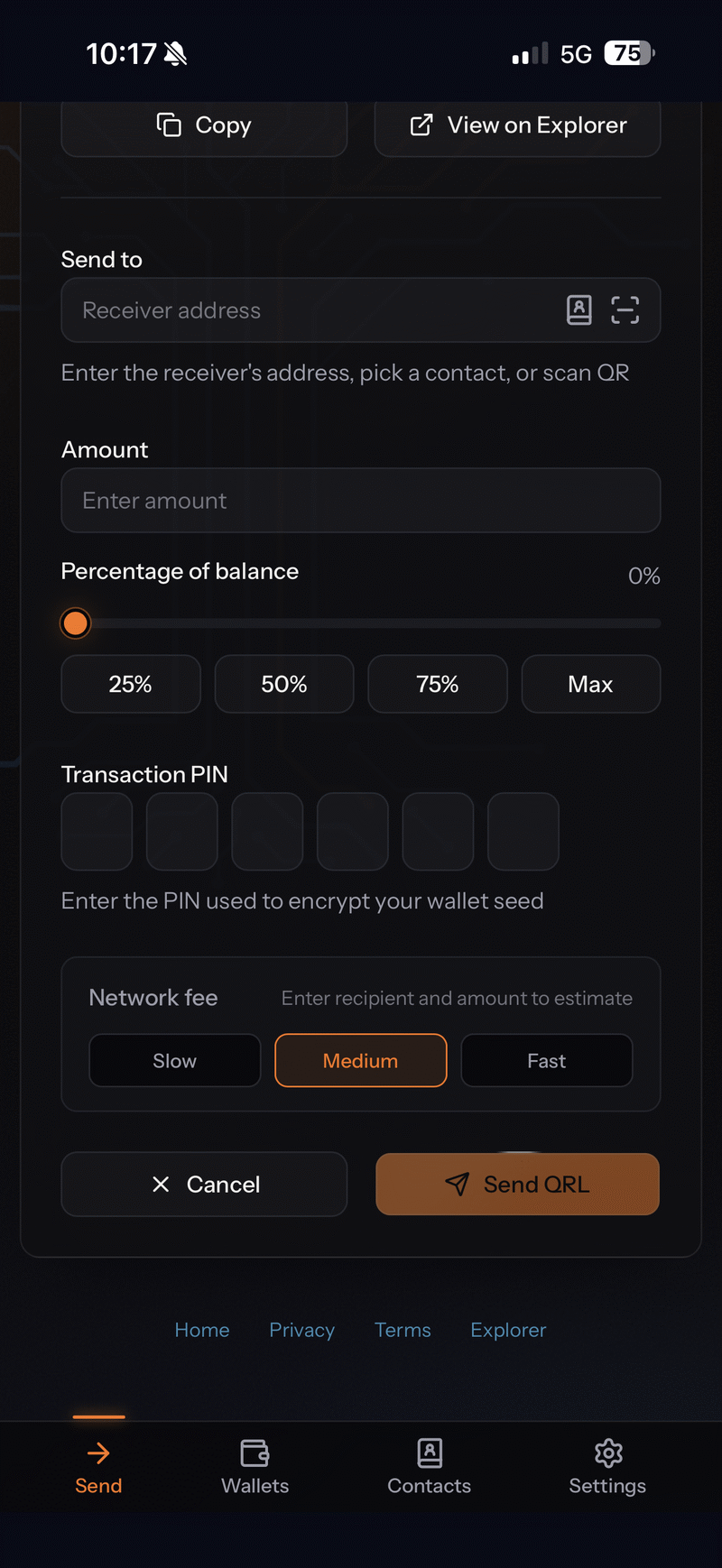
Left: the home screen with the active account, QRC20 tokens, and explorer-detected NFTs. Right: the transfer flow; every send requires the transaction PIN, and fees come in three estimated levels.
One wallet core, four surfaces
The mobile app follows the same philosophy as the desktop app, approached from the other side. Where the desktop app builds the web frontend into a hardened Electron shell, the mobile app renders the live wallet inside a native Expo/React Native container and layers native capabilities around it. The wallet core that derives, encrypts, and signs is the same code your browser runs, byte for byte, so a transaction signed on your phone verifies identically to one signed anywhere else, and wallet features land on mobile the moment they ship to the web.
The web app detects that it is running inside the native container and lights up the mobile-only surfaces: QR scan buttons in address fields, native share sheets, haptic feedback on confirmations, and the deep-link plumbing described below. Outside the app, none of that UI exists.
The native bridge
Communication between the two worlds runs over a typed postMessage bridge. The native side exposes the camera (QR scanning for addresses and dApp pairing codes), clipboard, share sheet, and haptics; the web side emits wallet events the native side needs to persist. That persistence detail matters more than it sounds: dApp session state changes (DAPP_CONNECTED, DAPP_DISCONNECTED) are written through a serialized queue, because two racing writes was exactly the kind of bug that once left ghost “active” sessions in the connections list. The explicit-disconnect flag survives app restarts, so the dApp management screen can tell an intentional disconnect from a dropped one.
Security posture on a phone
A phone is a hostile place for key material: it gets lost, borrowed, shoulder-surfed, and screen-recorded. The app’s controls map to each of those:
- The seed never sits in plaintext. Wallet seeds are encrypted under your PIN and stored in the OS-encrypted SecureStore. The PIN is required for every transaction: the transfer screen above asks for it on each send.
- Device Login unlocks the app with Face ID, Touch ID, fingerprint, or the device passcode. Before the app enables it, it verifies the PIN can actually decrypt the wallet, so biometric unlock can never mask a wrong stored credential.
- Auto-lock on backgrounding. Switch away and the app locks, banking-app style, requiring re-authentication on return.
- Screenshot prevention is a toggle:
FLAG_SECUREon Android and the secure-text-field technique on iOS block screen capture and recording app-wide. It is off in the screenshots here for obvious reasons.
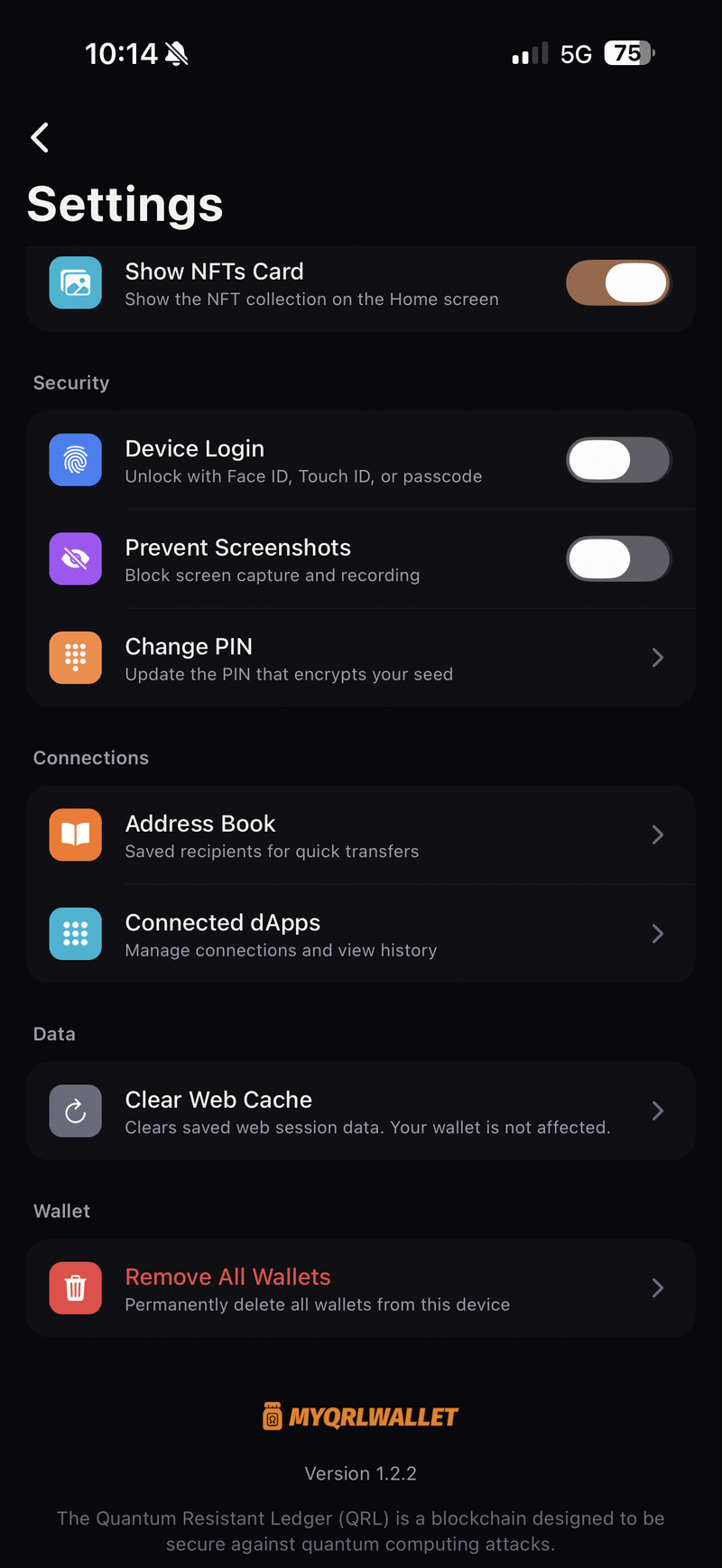
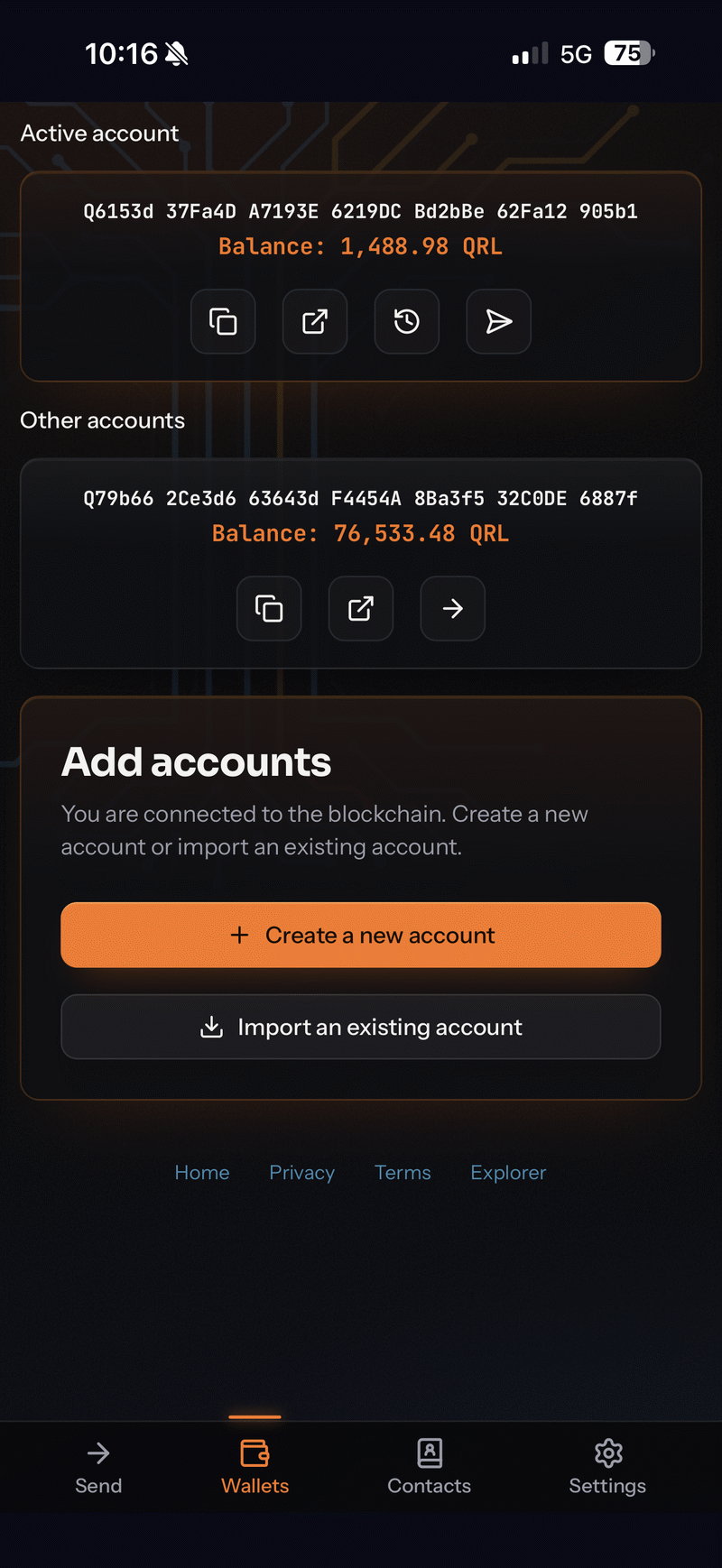
Left: the security and connections settings. Right: multiple accounts on one device, each with its own encrypted seed; switching is one tap.
dApps, one tap away
The app registers the qrlconnect:// scheme. Tapping a pairing link in your mobile browser foregrounds the wallet and forwards the URI across the bridge to the dApp-connect service; on desktop browsers you scan the same QR with the in-app scanner. The channel underneath is the @qrlwallet/connect relay protocol: ML-KEM-768 key agreement with AES-256-GCM on every message, so pairing survives even a hostile relay. We wrote up the protocol in detail in the QRL Connect post.
Once paired, every signature request is approved in the wallet, action by action. The connected dApps screen in settings shows active versus recent sessions and lets you cut one loose from the wallet side. In practice this is how you drive QuantaSwap from a phone: the HTLC lock, claim, and refund calls each arrive as a consent prompt with the contract call spelled out.
Accounts, tokens, NFTs
The app handles any number of accounts on one device, each behind its own encrypted seed, with one-tap switching and per-account balances. QRC20 tokens live on the home screen next to native QRL, and the NFT card cross-checks the block explorer for collections your address owns before you add them. An address book keeps frequently used recipients one tap from the transfer field, which is worth having when addresses are 40 hex characters behind a Q prefix.
Get it
The Android app is on Google Play now. The iOS release is in beta and headed for the App Store; watch this blog or the QRL Discord for the announcement. Like the rest of the ecosystem, the app is open source at github.com/DigitalGuards/myqrlwallet-app, native shell and bridge included.